Autodesk Training
"Providing you with the tools, technology and knowledge to maximize your company's profitability and production!"
Learn Autodesk software in a "hands on" environment from a veteran industry professional.
KAD Solutions has a steep history in the AEC world with over a decade of experience in architectural offices. This directly translates into the ability for the professionals at KAD Solutions to teach your team the best avenue to take with your production tools. Hands on training for your design team will increase profitability for each project and gives direct ROI within days and weeks of completion. |
KAD Solutions' Professionals help you take what you learn and implement it company wide.
Training is only part of the complete solution for your office. The final puzzle piece to your software transition is implementing it correctly. Implementing your software is where you see the true return on your investment. An average firm can spend months of time struggling with the basic setup and implementation of a new tool set, or you can rely on KAD Solutions’ industry expertise to make sure that your software investment pays the biggest dividends... An implementation of your new software and process changes within your firm are critical. To ensure your success our implementation services are designed to help you get started and up to speed in the shortest amount of time as possible. We understand that "time is money" and business does not halt during this time of transition! This is why we have dedicated many man hours in coming up with a process that increases your ROI and cuts down on lost production time and profits. |
|
Revit Realization Process
Implementing Revit effectively requires profound changes in the way architects work at almost every level within design. Most firms in research studies have found that Revit implementation not only requires learning a new application, but also requires learning how to reinvent the work flow, how to staff and assign responsibilities, and what to model and what not to. Take the case of the makeup of the project team. Traditionally, a project is divided up among team members by drawing type (plans, sections, elevations, etc.). But when drawings are automatically generated by the model, as in Revit, the division has to be addressed differently. How should a project be divided to make the best use of Revit? One approach is to dedicate one team to creating the objects, and have other teams assemble them into buildings. Needless to say, there may be other, more effective approaches as well. Almost all the firms, without proper implementation find themselves grappling with the same fundamental issues of change. Thus, it appears that they could all benefit from a clear set of guidelines outlining an effective strategy and methodology of implementing Revit. This is where KAD Solutions Revit Realization Process comes into play... 
Revit Inquisition
Well there's no point in transitioning software if you don't know the right questions to ask and the amount of work that is about to be performed. If you're unsure of what exactly is involved it is hard to come up with the right question to ask. In our Revit Inquisition we ask you the correct questions needed to help you understand and better outline the process in which it takes to transition from one software to another. 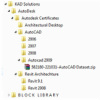
Project Outline
Just like architecture or even constructing a building it would be impossible without a project outline. Transitioning to new software or just learning how to use your old software more efficiently is no different. 
Pilot Project
Why fight new software and processes while trying to conquer a new project. Whether you are using our Revit Realization Program or just need help with your first project we can help. KAD Solutions has worked with many firms on all types of projects so we have the expertise to help you hit the ground running. Lets us come in and work with you on a pilot project to keep you on time and under budget so you do not get behind in your everyday tasks. 
Data Migration
With over 8 years of BIM experience KAD Solutions can help migrate your existing cad information and processes to the latest BIM technology. KAD Solutions keeps it simple, we migrate your existing information to the simplest most usable form possible for your firm. 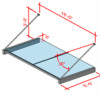
Content Creation
Getting Revit content is easy, there are dozens of great share sites on the net; but getting good usable content is a bit more difficult. We prides ourselves on creating the most versatile, usable content in the market. We create great parametric content that won't bog, or slow your machines and projects. Too often Revit content is over drawn and over detailed, we create content that is simple, easy to use and 100% what you need for your projects. |